Announcement
Announcements appear on the Dashboard when users log in, for example to share a new policy or a promotion schedule.
Menu: Others › Announcement
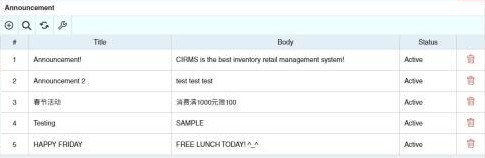
How to post an announcement
Required permission
Others › Announcement › Create
- Open Others › Announcement and click ⊕ (Add New Announcement).
- Enter the Title and the Body (the message).
- Tick Active to show it on the dashboard. Untick it later to hide it.
- To show it only to some users, add a condition under Whereas Condition: choose the Audience Type and the Value.
- Click Save.
Example
Head office posts New prices for detergents from 1 July for all branches, so every user sees it on the dashboard after signing in.
Other permissions for this module
| Permission | Allows you to |
|---|---|
| Others › Announcement › Update | Change announcements |
| Others › Announcement › Delete | Delete announcements |